Triggers
Start workflows from the events your team already owns.
WebhooksSchedulesFormsSupport tickets
Frugine helps AI agencies and enterprise teams design, deploy, monitor and bill AI workflows from one platform.
Connect models, APIs, data sources and human approvals. Deploy AI agents with built-in logs, cost controls and audit trails.
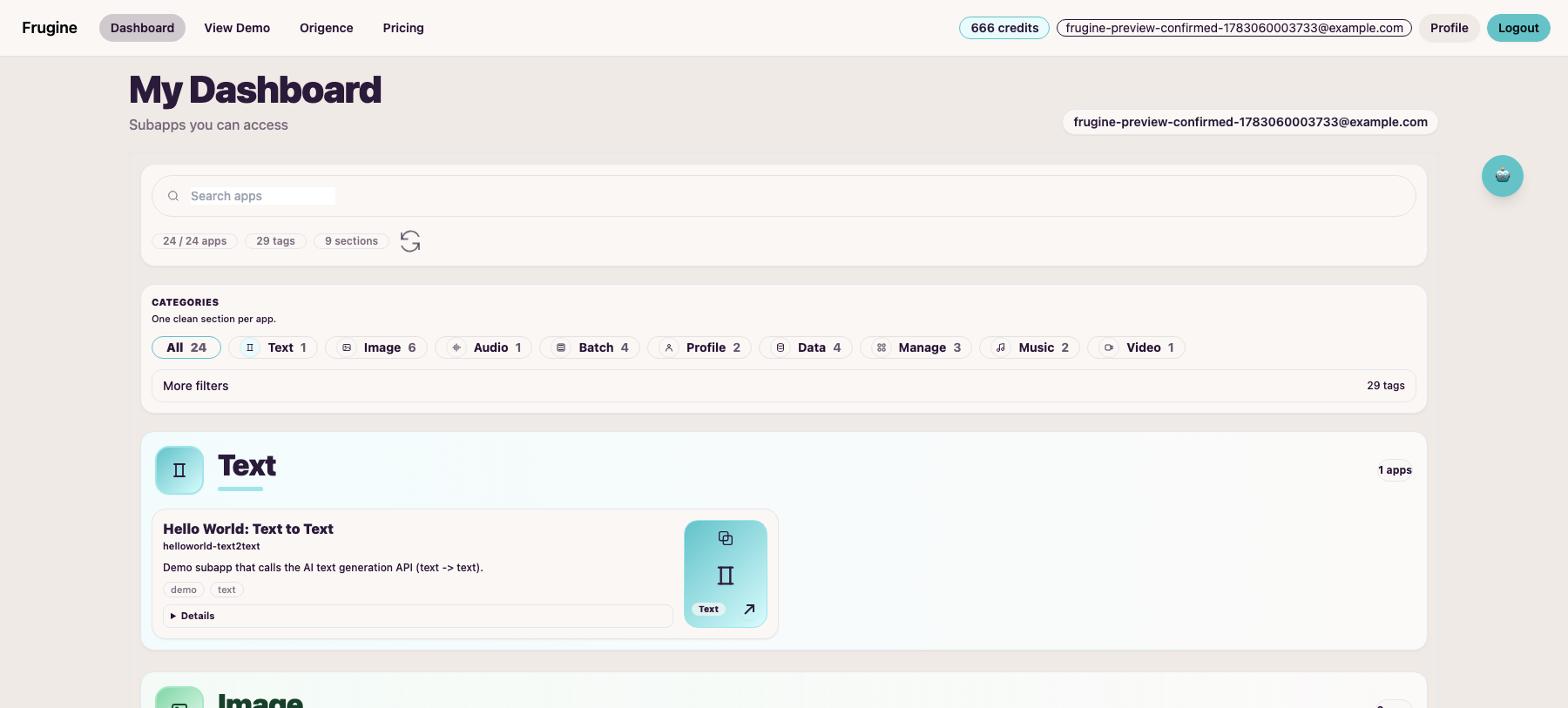
These screenshots come from the current Frugine dashboard. They show the app catalog, category filters, shared credit wallet and mobile workspace surface.
A signed-in Frugine workspace with app search, categories, tags and shared credits visible.
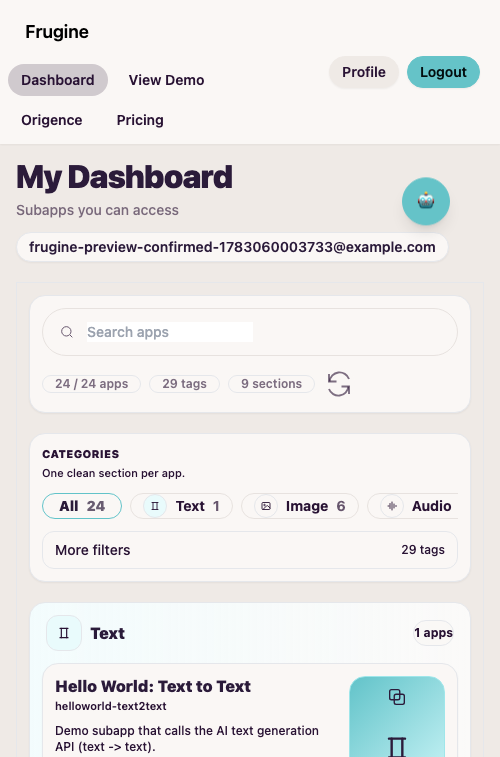
The same product surface keeps the app catalog and primary controls usable on mobile.
Frugine is not a generic AI concept page. The product surface is organized around the work needed to ship and operate AI workflows.
Connect triggers, models, APIs, databases and human approvals in one workflow.
Run workflows on schedules, webhooks or manual triggers with credential management.
Inspect every step, prompt, output, error, latency and model cost.
Prevent unexpected spend and keep sensitive actions behind human review.
This is the kind of workflow Frugine should explain first: a complete AI operation with a real business boundary, not a list of abstract AI capabilities.
New refund request arrives from CRM.
AI reads customer history and policy.
Refund over $500 pauses for human approval.
Every prompt, output, decision and cost is logged.
Approved response is sent back to CRM and Slack.
Frugine should be evaluated by the workflow it can operate end to end: trigger, AI step, data lookup, human review, output and run controls.
Start workflows from the events your team already owns.
Route AI steps through the model and graph layer that fits the job.
Bring operational context into the run without copying work by hand.
Keep risky actions behind an approval point before systems are updated.
Send the result back where the team already works.
Track every run with the controls needed for production support.
Browse starter workflows before creating a workspace. Each template shows the trigger, AI step, approval point and operating result.
Classify incoming requests, draft a response and escalate risky cases.
Package a repeatable client workflow with logs, cost controls and handoff notes.
Summarize source material, extract decisions and request approval before sharing.
A Frugine pilot should end with operating evidence: what ran, what it cost, where humans reviewed it and what needs to change before rollout.
A working workflow, not a slide deck.
Approval gates for sensitive actions.
Logs, latency, errors and credit usage visible.
A clear decision to scale, revise or stop.
Pick one workflow with a clear trigger, one AI decision, one approval point and one system of record.
Operate the workflow with realistic requests, visible run logs, credit usage and reviewer decisions.
Use the pilot evidence to decide whether to scale, refine the workflow or keep it manual.
Free workspaces and credit packs are available now. Production plans are positioned as sales-led until subscription, team and enterprise contracts are fully productized.
Create a workspace and run your first AI workflow with test credits.
For agencies and builders moving repeated AI workflows into production.
For teams that need shared operations, approval paths and cost controls.
For regulated deployments that require implementation support and procurement review.
These examples come from the active credits consumption rules, not placeholder pricing copy.
Add prepaid credits for current Frugine and OriginRender capabilities.
Best for pilots, prototypes, or topping up a small workspace.
Ideal for production workloads and continuous operations.
It uses the same Frugine account and shared credit wallet. The main navigation now presents it as part of the product family instead of a separate unexplained primary entry.
Frugine separates current controls from sales-led review items and roadmap claims.
Review security postureAccount-based access, shared credit ledger, visible usage controls and protected product routes.
Retention, deletion, dedicated environments and procurement questions should be scoped before rollout.
SOC 2 readiness, SSO, advanced RBAC and public DPA are not claimed as completed self-serve capabilities.